Description
Batch Scan Wizard – High-Volume Workflow Automation
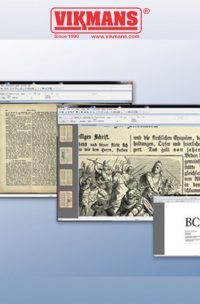
Batch Scan Wizard is designed to streamline demanding scanning environments with an intuitive interface and robust automation capabilities. It reduces repetitive tasks, accelerates data processing, and ensures consistent output quality across every batch job. Whether you’re digitizing large collections or handling smaller specialized tasks, Batch Scan Wizard adapts perfectly to professional workflows.
Built for production environments, Batch Scan Wizard is ideal for archives, libraries, mapping departments, and any operation requiring efficient document processing. Create reusable job templates, automate multi-step operations, and maintain accuracy across hundreds or thousands of pages. Its advanced feature set makes it an essential tool for high-volume scanning and post-processing workflows.
Export Suite
The Export Suite enables flexible and powerful batch conversions. Convert image files into multiple formats and resolutions simultaneously, apply metadata, attach ICC profiles, and include electronic stamps. Output files can be saved to various locations and formats at the same time, offering maximum control and adaptability.
Optimized Workflow Operation
Operators can build scan job templates that automatically apply brightness, contrast, color settings, file formats, and naming rules throughout the entire batch. Define extraction areas to automatically save specific regions as separate images. Completed jobs can be reopened to perform edits such as cut, delete, replace, and renaming without repeating the scanning process.
Virtual Rescanning
Batch Scan Wizard stores all scanned images in memory, allowing users to make changes without rescanning. Modify color mode, rotation, mirroring, image format, and even camera adjustments instantly. These updates can be saved as new versions or overwrite previous images, enhancing flexibility and accuracy.
Automatic Multi-Masking
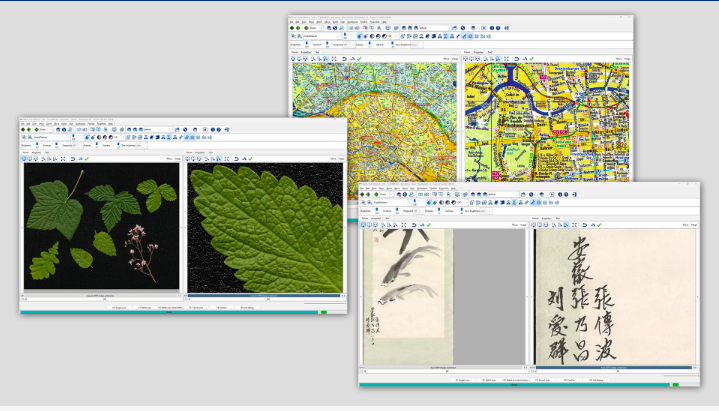
Multi-masking dramatically boosts productivity by allowing multiple zones within a document to be selected and exported as individual images. This is ideal for drawings, maps, forms, or any layout that contains multiple elements requiring separate extraction.
Image Processing
Enhance and correct both scanned and imported images with the built-in processing tools. Perform color correction, sharpening, cleanup, and more—even during active scanning. Previously exported scan jobs can be reopened, improved further, and re-exported as needed.
Metadata & Indexing
Batch Scan Wizard offers advanced metadata and indexing capabilities to keep documents structured and searchable. Add titles, authors, tags, and custom data fields to improve organizational efficiency. The indexing engine creates searchable lists that allow quick access to specific documents within large volumes.